Registered Cooler Management
View the coolers assigned to your organisation, including serial numbers, model information and associated facility details.
The HOUP Vaccine Protection Centre gives clients a central place to manage their vaccine cooler information, record temperatures, document equipment assessments and keep important cold-chain records organised.
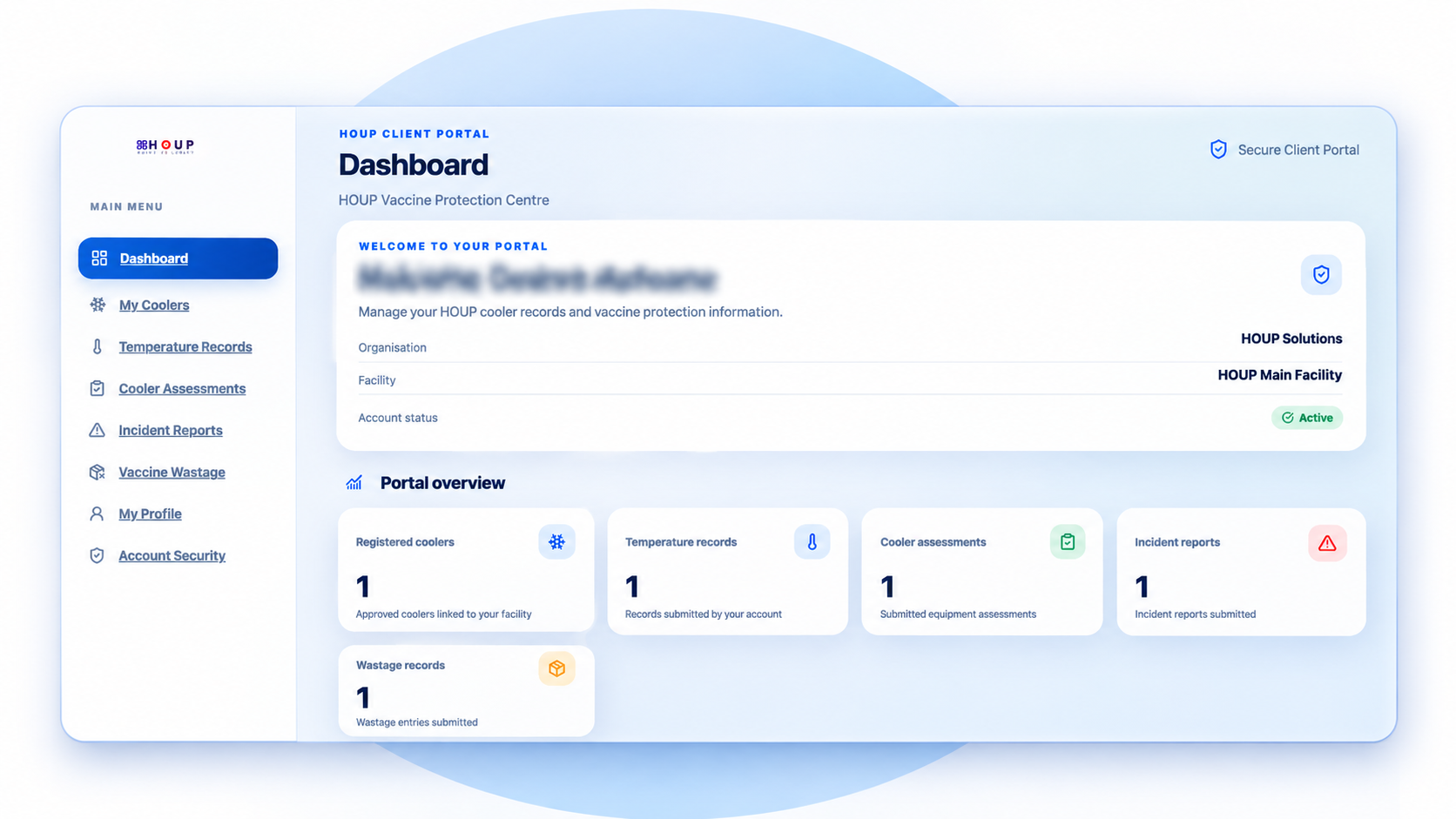
The Vaccine Protection Centre is designed to help HOUP clients maintain structured equipment and monitoring records throughout the use of their vaccine coolers.
View the coolers assigned to your organisation, including serial numbers, model information and associated facility details.
Record temperature readings with dates, times, cooler references and notes. Review previously entered records to support your documentation.
Complete structured equipment condition checklists and document observations about the cooler's exterior, seals, power supply, display, alarm and cleanliness.
Document equipment incidents, relevant dates, associated coolers, observations and actions taken. Keep a record of reported events.
Record wastage information, including vaccine descriptions, quantities, dates, reasons and estimated values for supporting records.
Access your organisation's portal through an invitation-based account, with password protection and multi-factor authentication.
Sign in to view your registered coolers, capture records and maintain your organisation's equipment documentation. Client accounts are created through invitations issued by HOUP.
Access the Client PortalThe Vaccine Protection Centre brings key cooler-related documentation together to support consistent record keeping and day-to-day equipment oversight.
Keep cooler details and supporting records together instead of relying on disconnected documents and spreadsheets.
Use structured forms to capture temperature readings, assessments, incidents and wastage information consistently.
Review the coolers assigned to your organisation and access their recorded information in one place.
Capture important dates, readings, observations and actions in dedicated sections of the portal.
Access your portal through your client account without needing to manage separate records for each portal function.
Maintain documentation that can assist internal reviews, equipment follow-up and your organisation's record-keeping processes.
This illustrative profile explains a possible cooling, holding and warming pattern. Use actual monitoring records for clinical decisions.
Example only: ambient temperature is assumed to remain at +43°C. The internal curve is schematic and is not measured probe data.
Important: This chart is illustrative, not actual probe data. It must not be used to validate a cooler or determine whether vaccines are safe to use.
Follow your facility's excursion procedure. Identify and segregate affected stock as required, document the available readings and contact the designated cold-chain supervisor or pharmacist before using or discarding vaccines.
Access your client portal to view registered coolers, record temperatures, document assessments and maintain your supporting equipment records.